Know when performance changes without manual checks
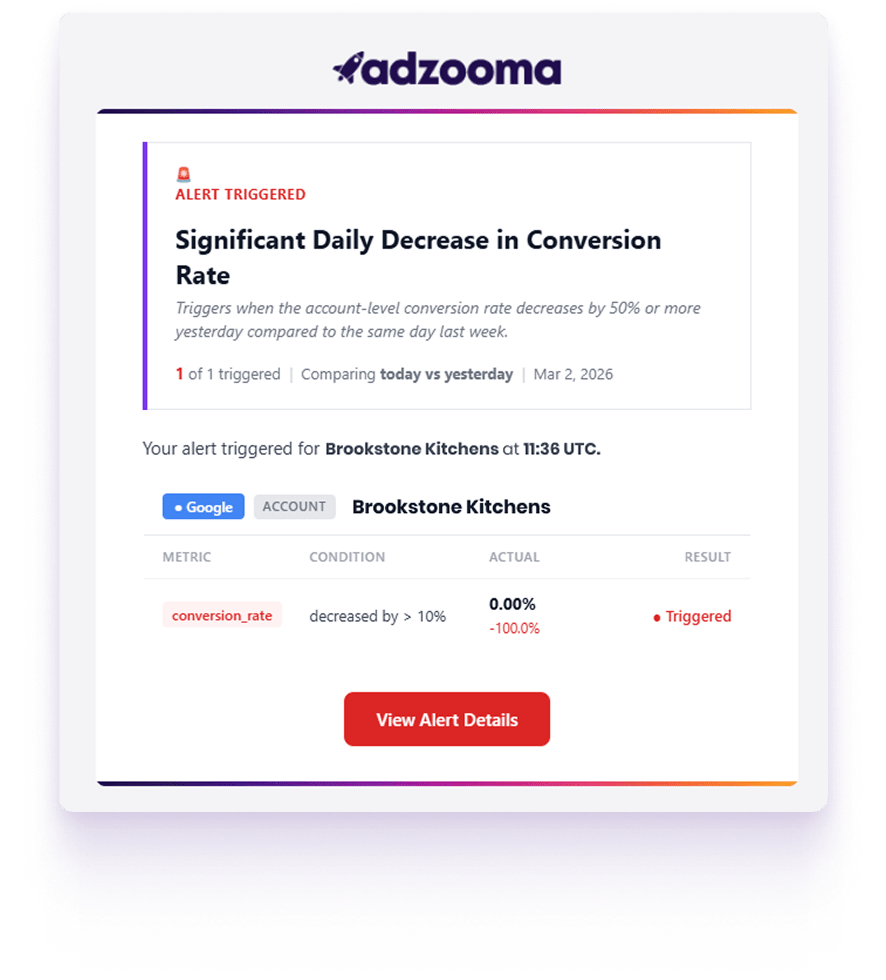
Automated Alerts continuously monitor your Google, Microsoft and Meta Ads accounts and notify you when meaningful performance changes occur. Instead of relying on manual checks or waiting for reports, Alerts highlight issues and opportunities as soon as they happen so you can respond faster.
Monitor Google Ads, Microsoft Advertising and Meta Ads in one place
Detect delivery issues, performance shifts and efficiency changes
Get notified before problems significantly impact campaigns
Identify both negative performance trends and opportunities to scale
Receive alerts instantly via Email or Slack so you can act quickly
Activate monitoring instantly with alert templates
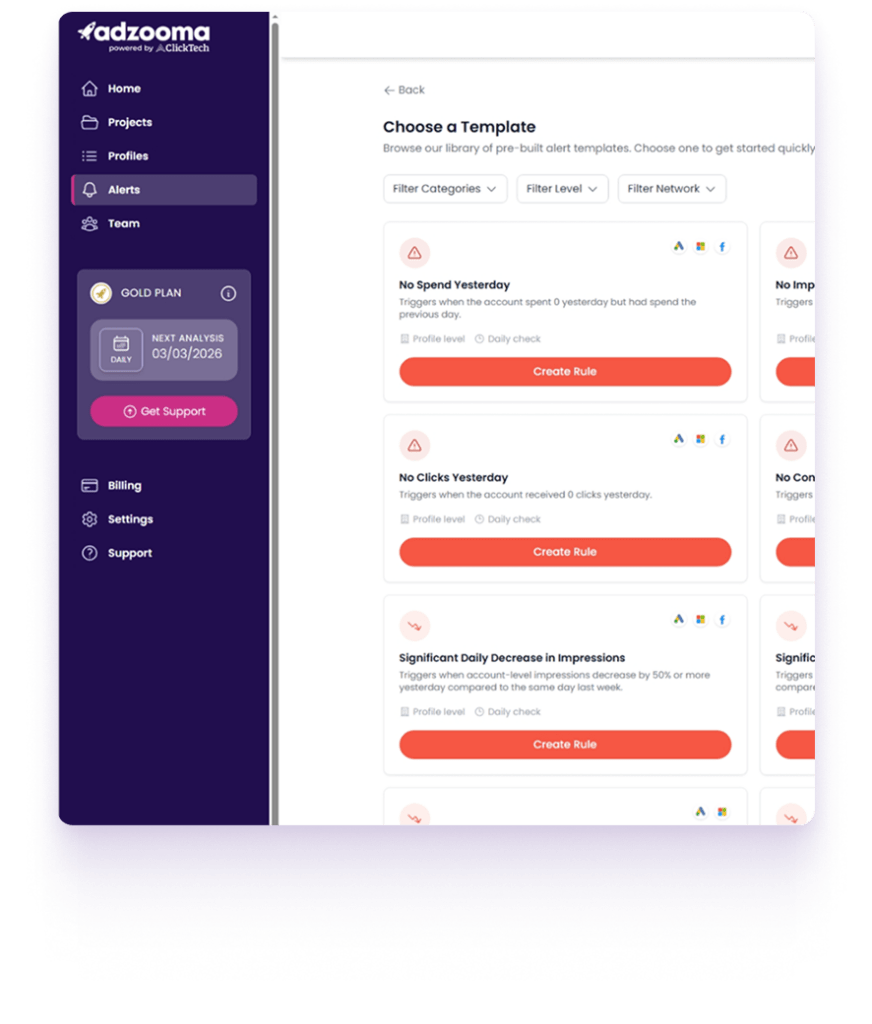
Pre-built alert templates allow you to activate monitoring quickly using predefined rules based on common PPC risks. This makes it easy to protect accounts from common failures and performance issues without needing to configure complex rules.
Activate monitoring instantly using pre-configured alert templates
30 templates designed around common PPC risks and performance shifts
Monitor delivery failures, efficiency drops and performance anomalies
Ideal for quickly protecting multiple accounts or client portfolios
Provides a structured starting point for ongoing monitoring
Monitor performance across accounts, campaigns and ad groups
Alerts analyse performance across multiple levels of your account structure, helping you detect delivery failures, efficiency risks and performance changes wherever they occur.
Detect no spend, impressions, clicks or conversions
Identify significant drops in traffic, CTR or conversions
Monitor CPA, CPC and spend changes impacting profitability
Track performance across account, campaign and ad group level
Spot structural issues affecting specific campaigns or ad groups
Custom alerts and full monitoring visibility
Alongside templates, advertisers can build their own alerts and review the outcomes through Alert History. This allows Alerts to function as both a quick safety layer and a fully customisable monitoring framework.
Create custom alerts using your own thresholds and conditions
Select metrics and monitoring level (account, campaign or ad group)
Set monitoring frequency from daily to every 15 minutes
Choose your preferred timezone for accurate monitoring
Review triggered alerts and outcomes through Alert History
HOW IT WORKS
HOW IT WORKS
Activate Alerts in three simple steps
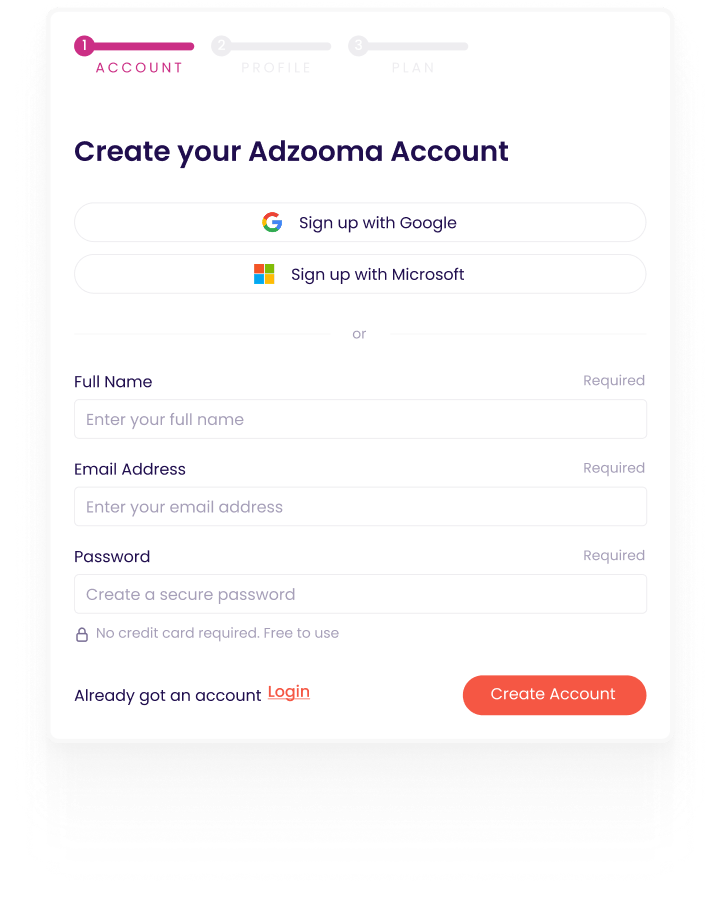
Create your account
Sign up for a free Adzooma account in minutes.
01
Connect your ad platforms
Link Google, Microsoft and Meta Ads in a few clicks.
02
Enable your alerts
Choose a template or create a custom rule to start receiving alerts.
“Adzooma helps me spot things I wouldn’t catch on my own. The insights are clear and quick to act on.”
Russ Mensik
The campaign optimization capabilities of Adzooma are remarkable. It provides real-time analysis, insightful recommendations, and boosts the performance and ROI of my campaigns. Plus, the platform supports multiple advertising channels, ensuring consistency and efficiency.
Mantas M.
Adzooma is very easy to use. The Google and Microsoft PPC Performance reports do a nice job of laying out current performance metrics and areas to consider for improvement. I really appreciate this management tool.
Automated Alerts currently support Google Ads, Microsoft Advertising and Meta Ads, allowing you to monitor performance across your key advertising platforms in one place.
No. Alerts are not activated by default. You choose which alert templates or custom rules to enable based on the metrics and performance changes you want to monitor.
Alert checks run at different frequencies depending on your subscription plan. Monitoring can run daily, weekly, hourly or as frequently as every 15 minutes.
Yes. In addition to pre-built templates, Silver and Gold plans allow you to create custom alerts with your own thresholds, metrics and logical conditions.
Yes. Alert History shows when alerts have run and when conditions were triggered, giving you full visibility into monitoring activity across your accounts.
No. Automated Alerts only monitor performance and notify you when conditions are met. They do not make changes to your campaigns or adjust budgets, bids or settings.
This allows you to stay in full control of optimisation decisions while still being notified when performance shifts.
No. Once alerts are activated, monitoring runs automatically in the background. Notifications are delivered via email or Slack when alert conditions are triggered, so you don’t need to be logged in to receive updates.
Run Your Free PPC Audit
See what’s holding your campaigns back. Unlock instant insights and fix them in minutes – for free.