

Paid Media leads slowing down? Before increasing your Google Ads budget, work through these five checks to uncover what’s really affecting performance.
There are few conversations more frustrating than being told that your paid media leads have dropped, especially when nothing obvious appears to have changed.
Budgets are the same. Campaigns are still running. Google Ads has not flagged any major issues. Yet the enquiries that were arriving consistently a month ago have started to slow down.
At that point, it is tempting to jump straight into PPC optimisation mode. Increase budgets. Change the bidding strategy. Rewrite the ads. Replace the landing page.
Before making any of those changes, take a step back. It’s worth noting that 72% of companies haven’t looked at their ad campaigns in over a month, so a structured review is often overdue anyway, regardless of the current dip.
A decline in lead volume is usually the result of something changing somewhere in the customer journey. Demand may have fallen. Search intent may have shifted. Ads may be attracting fewer clicks. The landing page may be converting less effectively. Tracking may also be hiding leads that are still happening.
The fastest way to find the cause is to work through the journey in order.
1. Check whether demand has changed
Start by finding out whether fewer people are searching for what the business offers.
In Google Ads, compare the last 30 days with the previous 30 days and review:
- Impressions
- Search Impression Share
- Clicks
- Average CPC
- Conversions
If impressions have fallen across the account while impression share remains relatively stable, the issue may be reduced demand rather than declining campaign performance.
This can happen because of seasonality, changing customer behaviour, economic pressure or a temporary slowdown within the industry.
It is important to separate lower demand from lost visibility.
If demand has fallen, increasing the budget is unlikely to solve the problem. If impressions have fallen because impression share has also declined, the account may be losing auctions because of budget, rank or increased competition.
The next step depends on which of those patterns appears in the data.
2. Check whether search intent has shifted
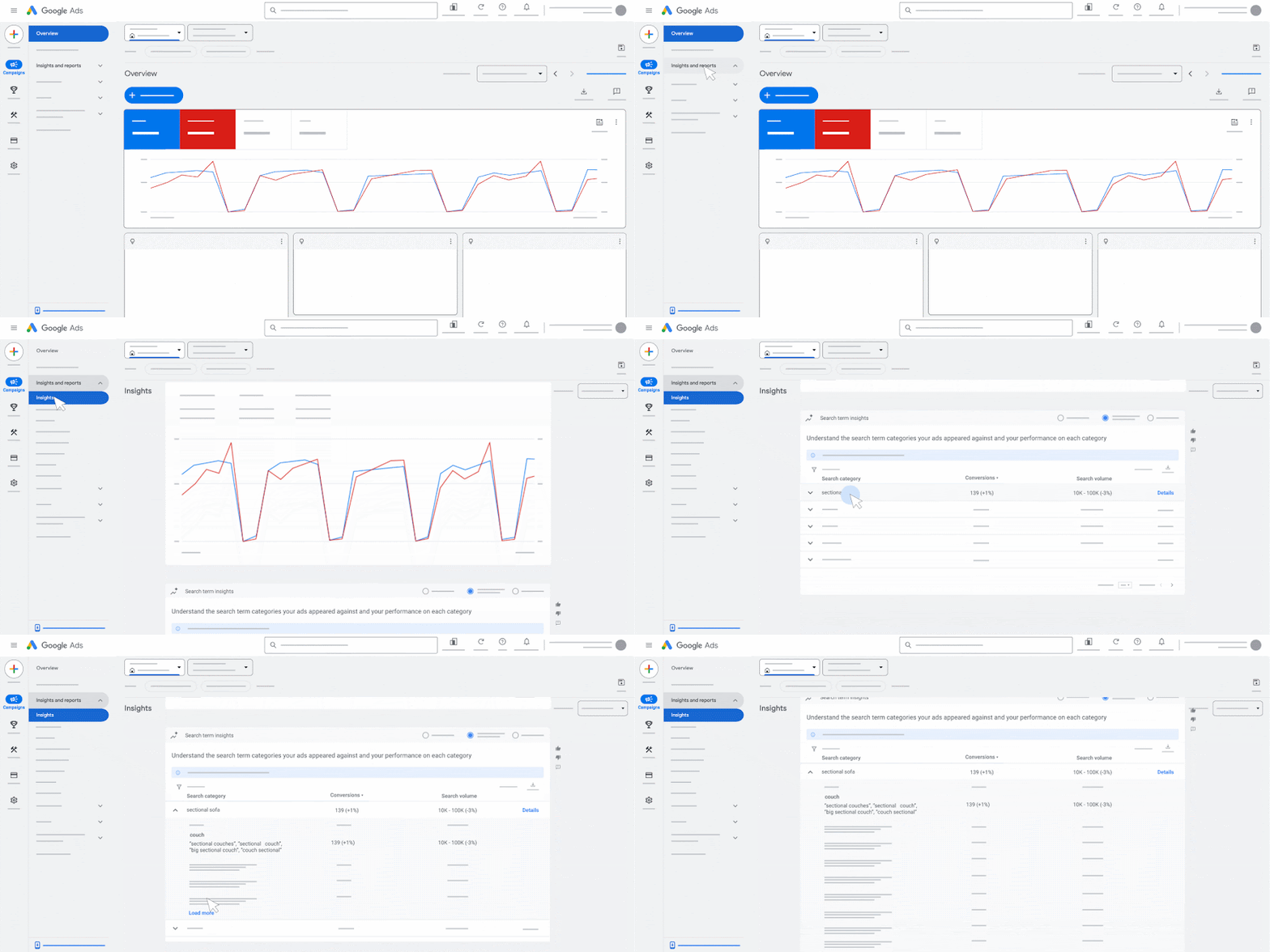
The Campaigns dashboard shows that performance has changed. The Search Terms report can help explain why.
Go to Insights and reports > Search terms, set the date range to the last 90 days and sort by Cost.
Look for patterns rather than one-off irrelevant searches.
Ask:
- Are broad match keywords attracting more informational traffic?
- Are searches containing words such as “jobs”, “course”, “free”, “template” or “DIY” appearing more often?
- Have previously reliable keywords started matching to weaker queries?
- Has the language customers use changed?
A keyword can continue generating clicks while becoming less commercially relevant over time. That shift may not be obvious from the Campaigns view, particularly if spend and traffic remain stable.
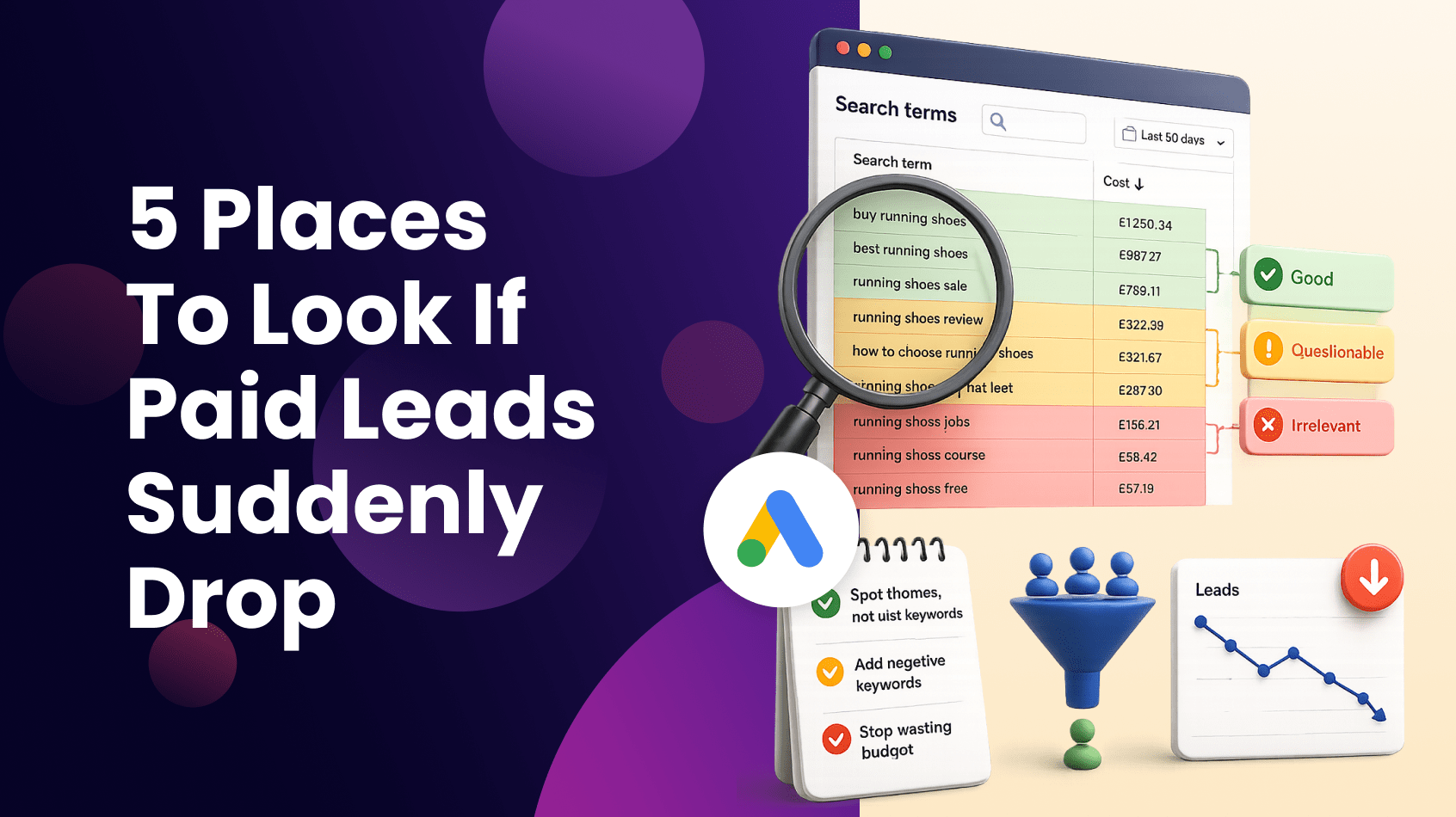
Highlight searches according to quality as the report is reviewed:
- Green for searches worth paying for again
- Amber for uncertain intent
- Red for clearly irrelevant traffic
If a large part of the report falls into the red or amber categories, traffic quality may be contributing to the decline.
Add obvious negative keywords, but also review the keywords responsible. If the same broad match keyword repeatedly attracts poor-quality searches, tightening the match type or restructuring the ad group may be more effective than continuing to add negatives.

Are you making the most of creative in your paid campaigns? Learn why it’s more important than ever in our recent article.
3. Check where the journey started to weaken
Conversions are the final result of several earlier steps.
A decline in leads may begin with fewer impressions, fewer clicks or a lower conversion rate. Looking only at conversions makes it difficult to identify where the problem started.
Use the date comparison in Google Ads and review the journey in this order:
- Impressions
- Click-through rate
- Clicks
- Average CPC
- Conversion rate
- Conversions
Each change points towards a different issue.
If impressions have declined, visibility or demand may have changed.
If impressions are stable but click-through rate has fallen, the ads may no longer be standing out.
If clicks remain stable but conversion rate has dropped, the issue may sit after the click.
If average CPC has increased significantly, the account may simply be buying fewer visits with the same budget.
Following the journey in order helps narrow the investigation before any changes are made.
4. Test the experience after the click
Google Ads may be performing as expected while the landing-page experience has quietly become less effective.
Search for one of the highest-value keywords in an incognito browser and follow the journey as a potential customer.
Within the first few seconds, ask:
- Is it clear that this is the right page?
- Does the headline match the search and the advert?
- Is the next step obvious?
- Does the business appear trustworthy?
- Does the form or checkout work properly?
Check the page on mobile as well as desktop.
A landing page may have changed without the PPC team being aware. A form may no longer submit correctly. A call-to-action may have moved lower down the page. A live-chat tool may cover an important button on mobile.
The problem may also be the offer rather than the page itself. Competitors may now be promoting faster delivery, stronger guarantees, clearer pricing or a more compelling incentive.
Before blaming the traffic, confirm that the journey still gives people a strong reason to convert.
5. Check whether it is actually a Google Ads problem
A decline in leads attributed to Google Ads does not always begin in Google Ads.
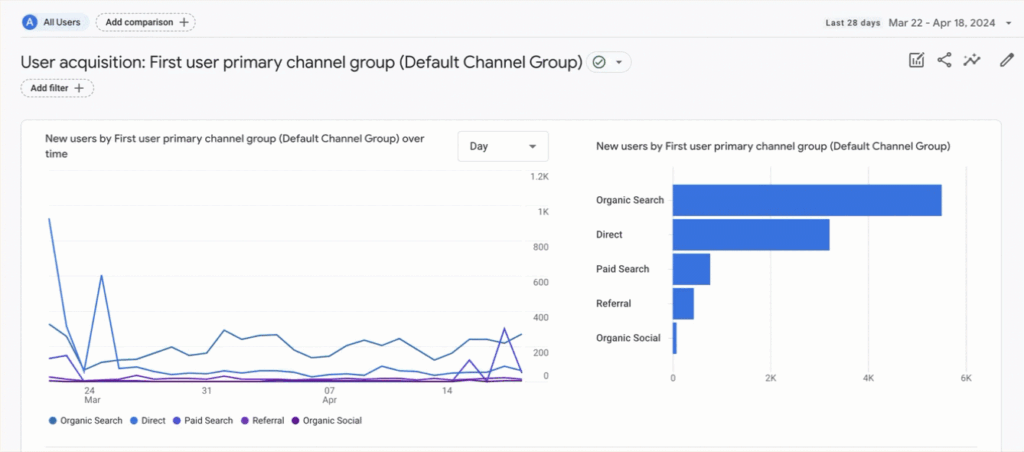
Open Google Analytics 4 and compare the last 30 days with the previous 30 days. Review acquisition and conversion performance across channels.
Ask:
- Has Paid Search declined on its own?
- Have Organic Search, Direct and Referral traffic also fallen?
- Has the overall website conversion rate changed?
- Are key events still being recorded?
- Has a change to consent settings affected attribution?
If several channels have declined at the same time, the issue may be broader than paid search.
It could relate to demand, the website, tracking, pricing, availability or the offer itself.
Also compare Google Ads conversions with CRM records, form submissions and call-tracking data where possible. If leads still exist outside the platform, the problem may be reporting rather than performance.
Use AI to organise the investigation
AI can reduce the time spent moving between reports, provided it is used to support the investigation rather than make decisions automatically.
A useful prompt might be:
“Compare the last 30 days with the previous 30 days. Identify where the lead journey changed, including impressions, click-through rate, CPC, conversion rate and conversions. Highlight the three areas that should be investigated first.”
With Omni AI Ad Connectors, questions like this can be asked against live Google Ads data to create a quicker starting point.
The findings still need to be checked, but AI can help surface the changes most likely to explain the decline.
Final Thoughts
When leads suddenly drop, avoid changing everything at once.
Start by checking whether demand has changed. Review search intent. Follow the journey from impressions through to conversions. Test the experience after the click and confirm whether the decline is isolated to Google Ads.
Most accounts do not need an immediate rebuild or a larger budget.
They need a structured investigation that identifies what changed before the response is decided.
Stop guessing why leads dropped – ask your data directly. AI has made it possible. Try Omni AI Ad Connectors today and turn your next lead-drop investigation into a five-minute conversation with your data.